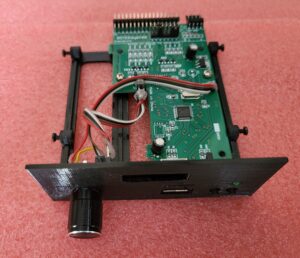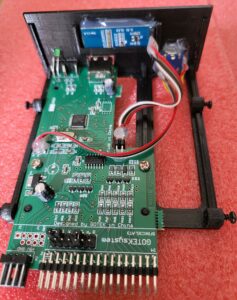
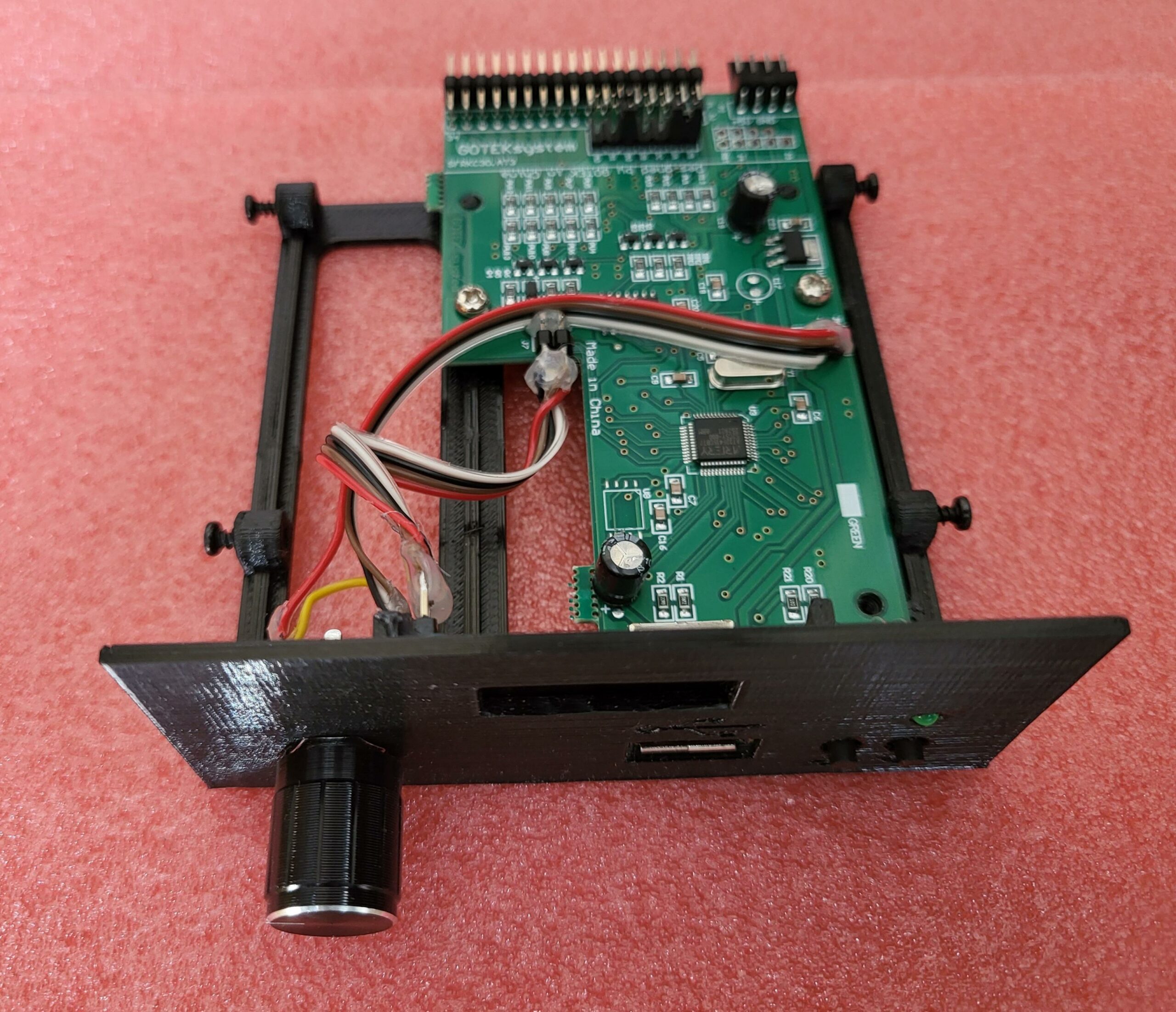
Gotek Flash Floppy for Tatung Einstein TC01 including data and power cables
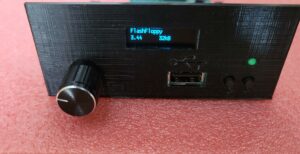
The Gotek Flash Floppy is a floppy-drive emulator that lets you use a USB stick instead of old unreliable floppy disks.
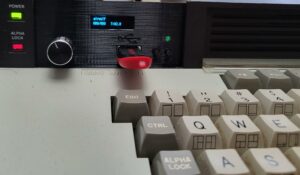
Gotek is flashed with the latest version of Flash Floppy and includes a 0.91 OLED Display and a rotary switch.
Also included is a 3D printed case for the Tatung Einstein TC01 as well as data and power cables.
As with all 3D prints there may be some small imperfections.
Case is printed with Black PETG material
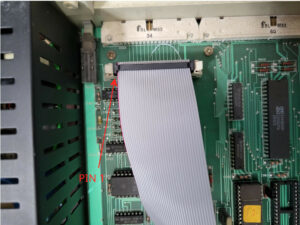
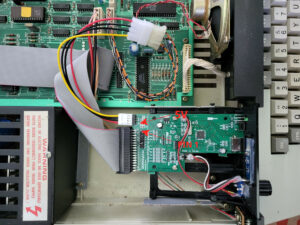
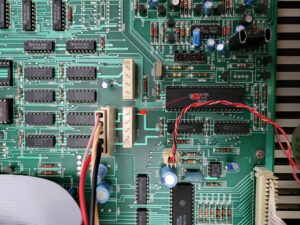
Take note when installing the gotek that you have the correct orientation for the data and power cables. You risk damaging your Tatung and Gotek if the cables are not correctly originated. (See photos)
You will receive:
- Gotek PCB flashed with the latest Flash Floppy firmware
- PCB mounted to a 3D Printed Case
- 4 screws in the case so it can be installed into the Tatung Einstein
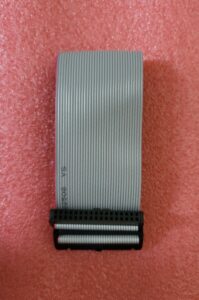
- 34 pin data ribbon cable (36cm)
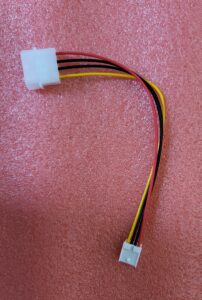
- Molex to floppy power adapter
Installation (Replacing Tatung floppy drive with Gotek)
- Remove the case from the Tatung Einstein. There are 2 screws at the rear of the unit. Unscrew them and lift the lid off.
- Remove the ribbon cable
- Disconnect power cable from the old drive (You will need to use this cable with the gotek)
- Loosen, not unscrew, the four screws holding the old drive in place.
- Slide the drive back and up to remove.
- Insert Gotek and slide in to place and tighten screws.
- Connect data ribbon cable from the Gotek to the Tatung motherboard
- Connect the Molex adapter to the old power cable and connect the other end to the Gotek.
See photos showing pin 1 and 5V connectors. Double and triple check it’s correctly wired up before switching on.
If in doubt double check with a digital multimeter. Even though 12V and 5V is connected to the Gotek, only 5V is used.
Testing
- Turn on the Einstein.
- Check that display on Gotek comes on. If not switch off the Einstein and double check the wiring.
- Insert USB stick (Formatted to FAT32) with images.
- Make sure a disk image is selected on the Gotek display.
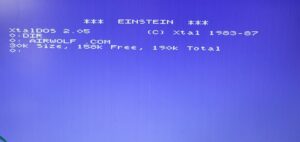
- Ctrl+Break to boot into DOS, if it has not already done so.
- DIR/LOAD image
- If everything is working, then close up the Einstein.
(USB Stick and Tatung Einstein computer is not included in the sale)